Building AI Agents in 10 Minutes Using Natural Language with LangSmith Agent Builder + Milvus
As AI development accelerates, more teams are discovering that building an AI assistant doesn’t necessarily require a software engineering background. The people who need assistants the most—product teams, operations, support, researchers—often know exactly what the agent should do, but not how to implement it in code. Traditional “no-code” tools tried to bridge that gap with drag-and-drop canvases, yet they collapse the moment you need real agent behavior: multi-step reasoning, tool use, or persistent memory.
The newly released LangSmith Agent Builder takes a different approach. Instead of designing workflows, you describe the agent’s goals and available tools in plain language, and the runtime handles the decision-making. No flowcharts, no scripting—just clear intent.
But intent alone doesn’t produce an intelligent assistant. Memory does. This is where Milvus, the widely adopted open-source vector database, provides the foundation. By storing documents and conversation history as embeddings, Milvus allows your agent to recall context, retrieve relevant information, and respond accurately at scale.
This guide walks through how to build a production-ready, memory-enabled AI assistant using LangSmith Agent Builder + Milvus, all without writing a single line of code.
What is LangSmith Agent Builder and How It Works?
Just as its name reveals, LangSmith Agent Builder is a no-code tool from LangChain that lets you build, deploy, and manage AI agents using plain language. Instead of writing logic or designing visual flows, you explain what the agent should do, what tools it can use, and how it should behave. The system then handles the hard parts—generating prompts, selecting tools, wiring components together, and enabling memory.
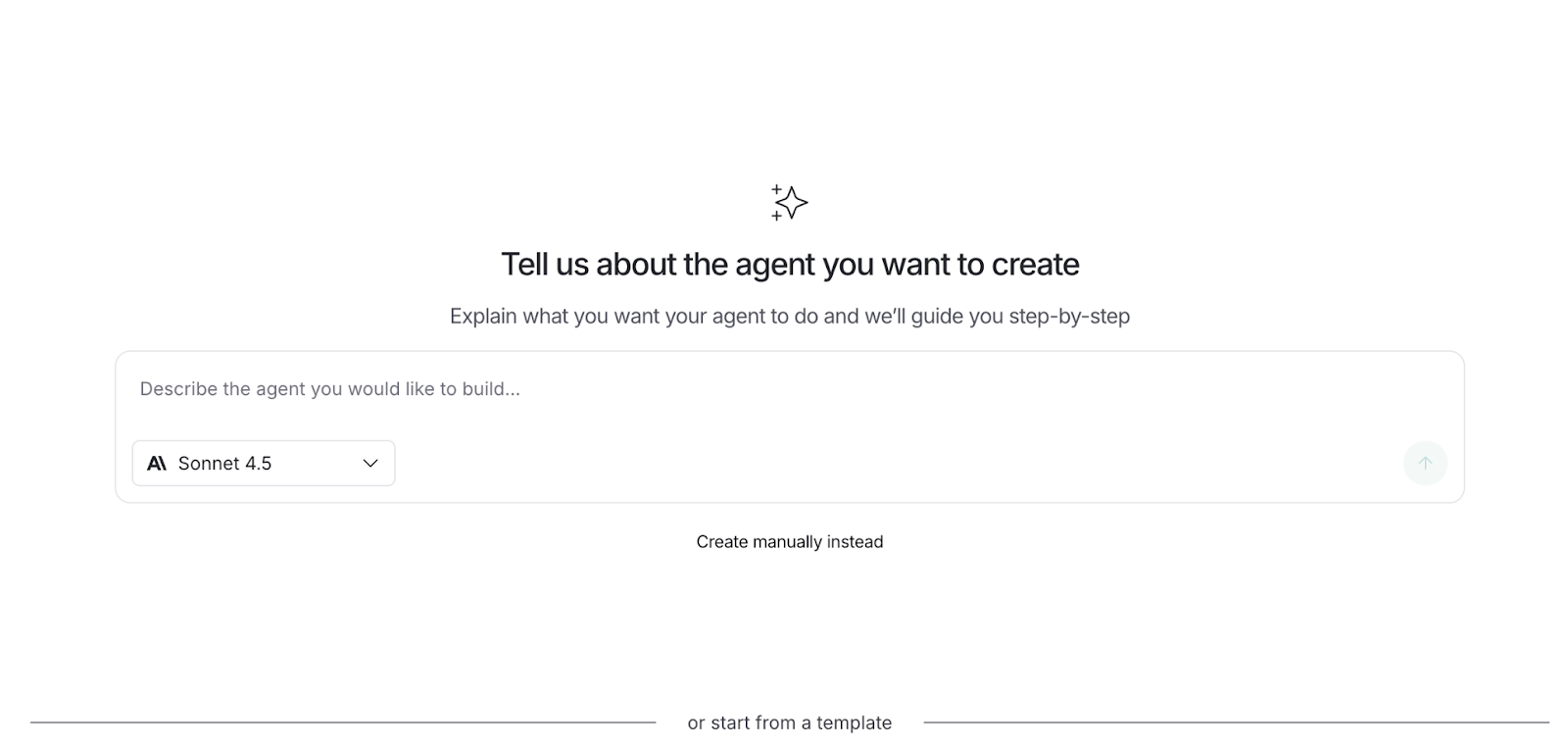
Unlike traditional no-code or workflow tools, Agent Builder doesn’t have drag-and-drop canvas and no node library. You interact with it the same way you would with ChatGPT. Describe what you want to build, answer a few clarifying questions, and the Builder produces a fully functioning agent based on your intent.
Behind the scenes, that agent is constructed from four core building blocks.
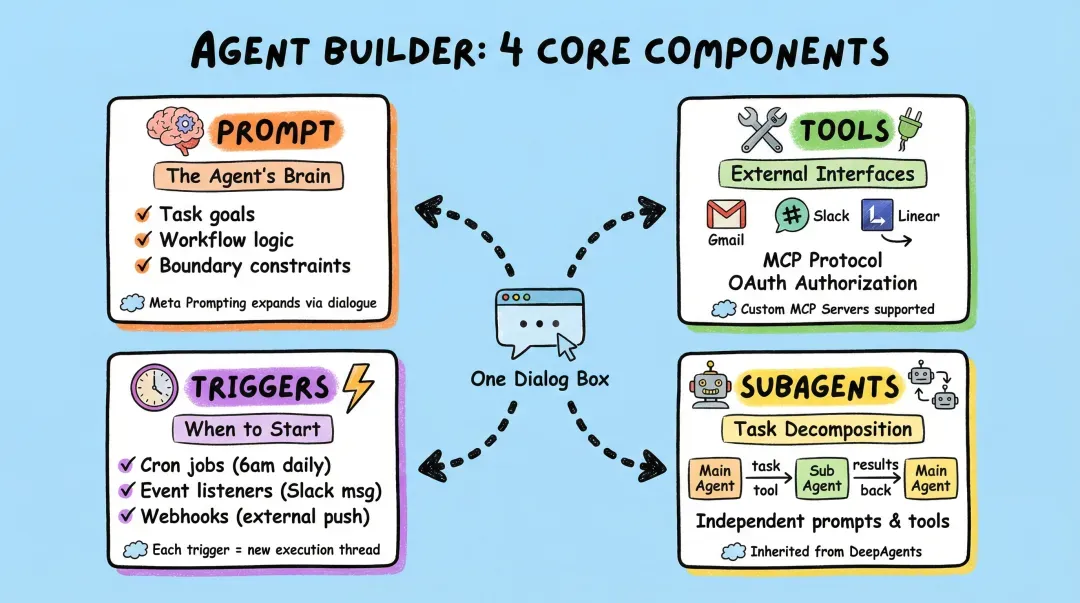
- Prompt: The prompt is the agent’s brain, defining its goals, constraints, and decision logic. LangSmith Agent Builder uses meta-prompting to build this automatically: you describe what you want, it asks clarifying questions, and your answers are synthesized into a detailed, production-ready system prompt. Instead of hand-writing logic, you simply express intent.
- Tools: Tools let the agent take action—sending emails, posting to Slack, creating calendar events, searching data, or calling APIs. Agent Builder integrates these tools through the Model Context Protocol (MCP), which provides a secure, extensible way to expose capabilities. Users can rely on built-in integrations or add custom MCP servers, including Milvus MCP servers for vector search and long-term memory.
- Triggers: Triggers define when an agent runs. In addition to manual execution, you can attach agents to schedules or external events so they automatically respond to messages, emails, or webhook activity. When a trigger fires, Agent Builder starts a new execution thread and runs the agent’s logic, enabling continuous, event-driven behavior.
- Subagents: Subagents break complex tasks into smaller, specialized units. A primary agent can delegate work to subagents—each with its own prompt and toolset—so tasks like data retrieval, summarization, or formatting are handled by dedicated helpers. This avoids a single overloaded prompt and creates a more modular, scalable agent architecture.
How Does an Agent Remember Your Preferences?
What makes Agent Builder unique is how it treats memory. Instead of stuffing preferences into chat history, the agent can update its own behavior rules while running. If you say, “From now on, end every Slack message with a poem,” the agent doesn’t treat that as a one-off request—it stores it as a persistent preference that applies in future runs.
Under the hood, the agent keeps an internal memory file—essentially its evolving system prompt. Each time it starts, it reads this file to decide how to behave. When you give corrections or constraints, the agent edits the file by adding structured rules like “Always close the briefing with a short uplifting poem.” This approach is far more stable than relying on conversation history because the agent actively rewrites its operating instructions rather than burying your preferences inside a transcript.
This design comes from DeepAgents’ FilesystemMiddleware but is fully abstracted in Agent Builder. You never touch files directly: you express updates in natural language, and the system handles the edits behind the scenes. If you need more control, you can plug in a custom MCP server or drop to the DeepAgents layer for advanced memory customization.
Hands-on Demo: Building a Milvus Assistant in 10 Minutes using Agent Builder
Now that we’ve covered the design philosophy behind Agent Builder, let’s walk through the full build process with a hands-on example. Our goal is to create an intelligent assistant that can answer Milvus-related technical questions, search the official documentation, and remember user preferences over time.
Step 1. Sign In to the LangChain Website
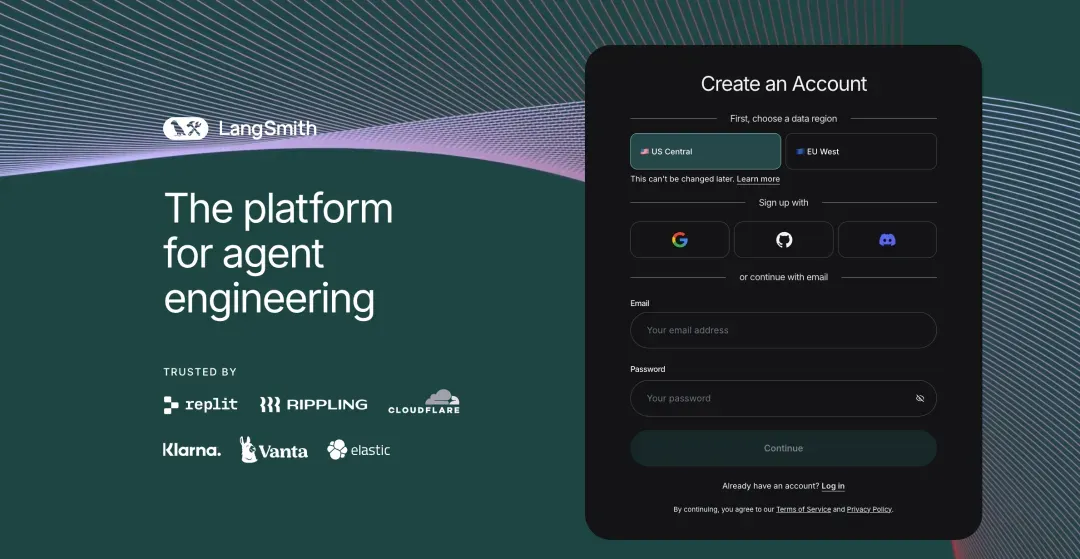
Step 2. Set Up Your Anthropic API Key
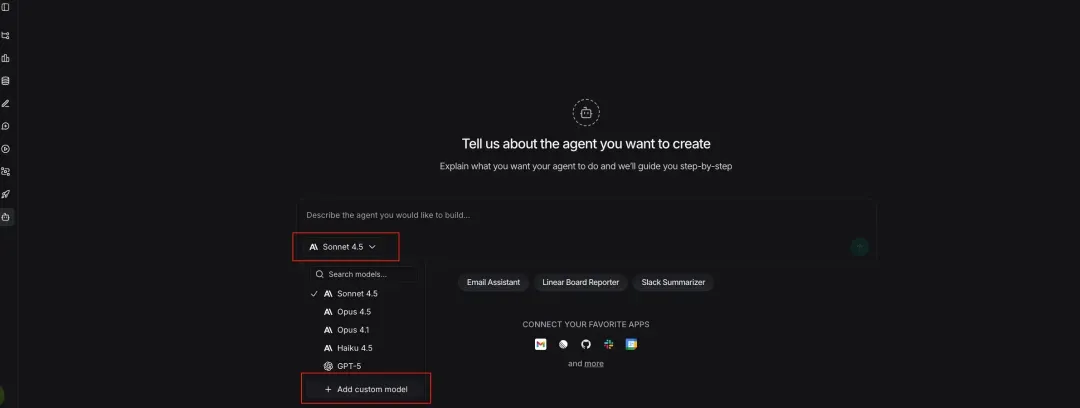
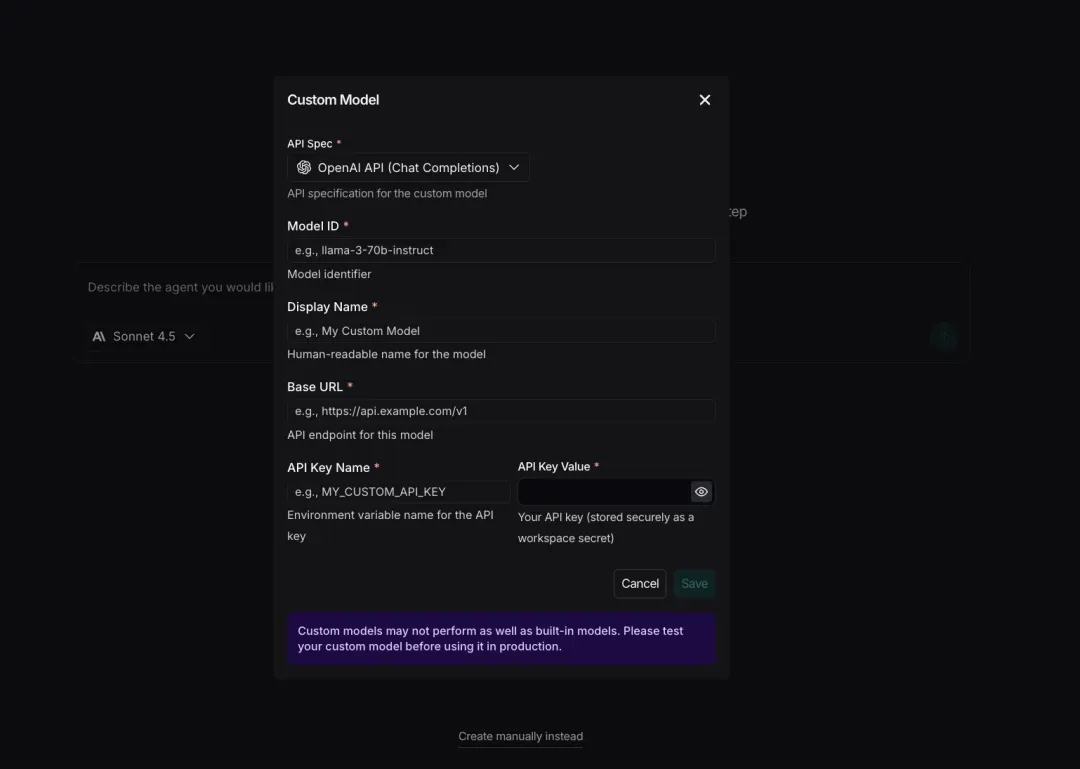
Note: Anthropic is supported by default. You can also use a custom model, as long as its type is included in the list officially supported by LangChain.
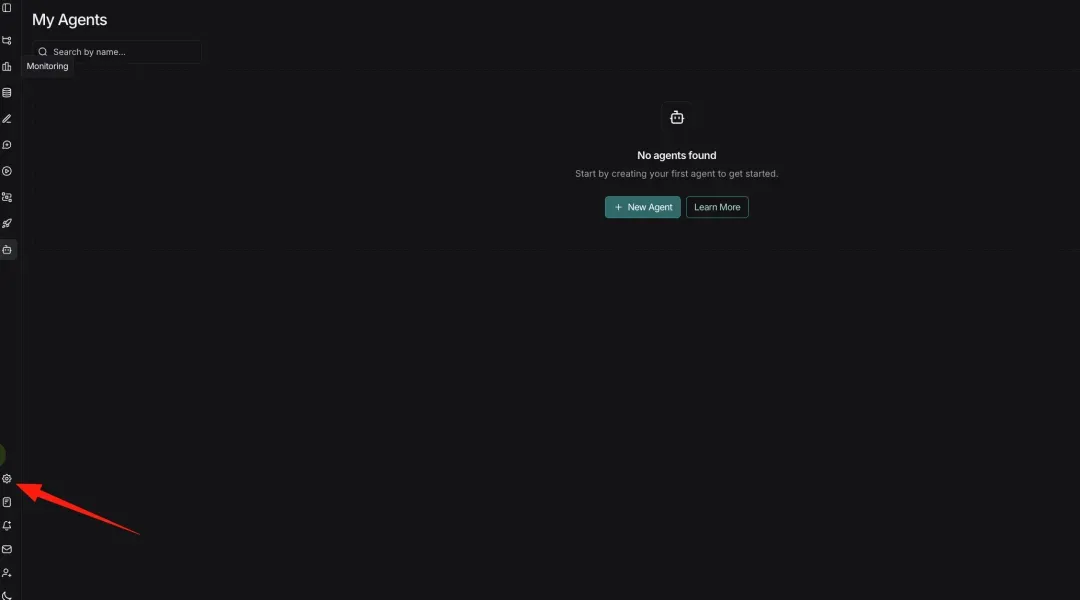
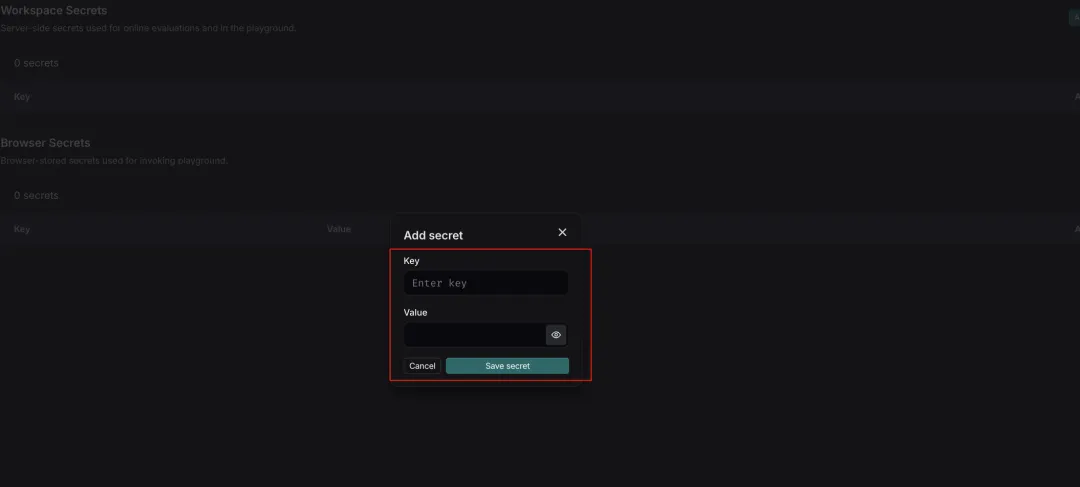
1. Add an API Key
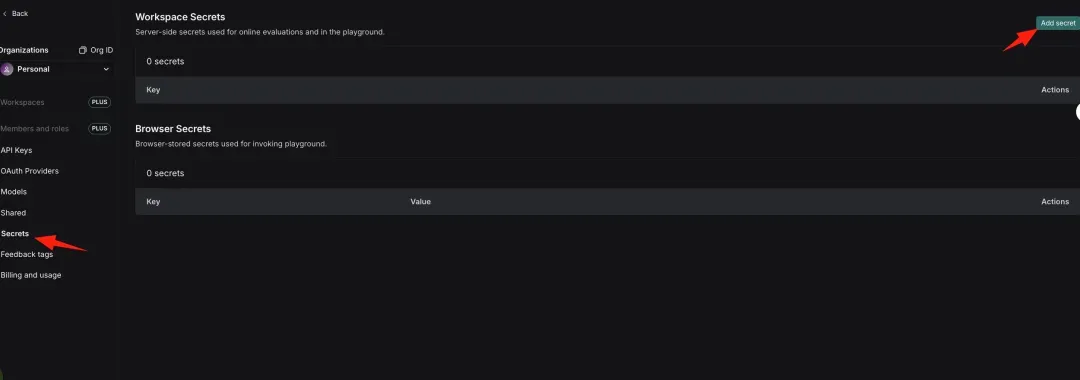
2. Enter and Save the API Key
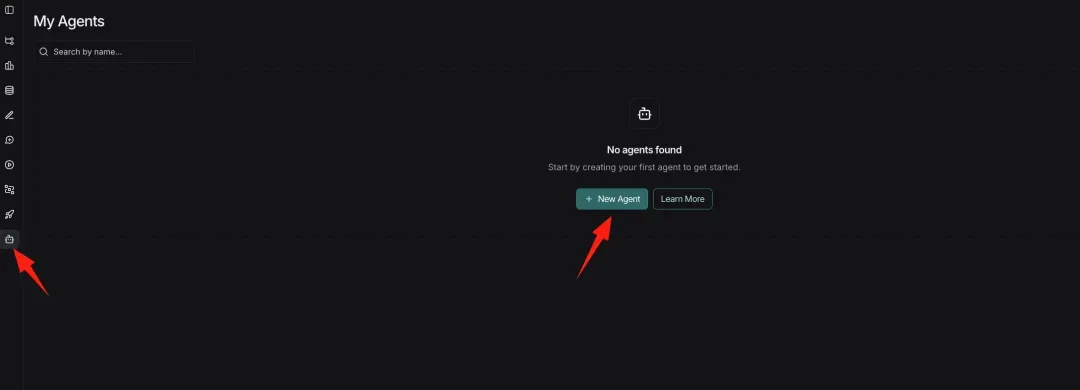
Step 3. Create a New Agent
Note: Click Learn More to view the usage documentation.

- Configure a Custom Model (Optional)
(1) Enter Parameters and Save
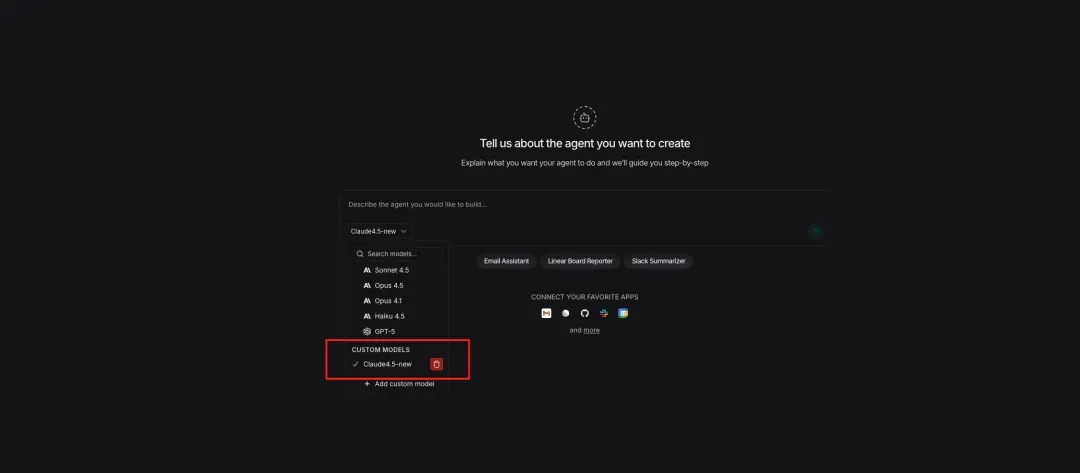
Step 4. Describe Your Requirements to Create the Agent
Note: Create the agent using a natural language description.
I need a Milvus technical consultant to help me answer technical questions about vector databases.

Search the official documentation and remember my preference for the index type I use.
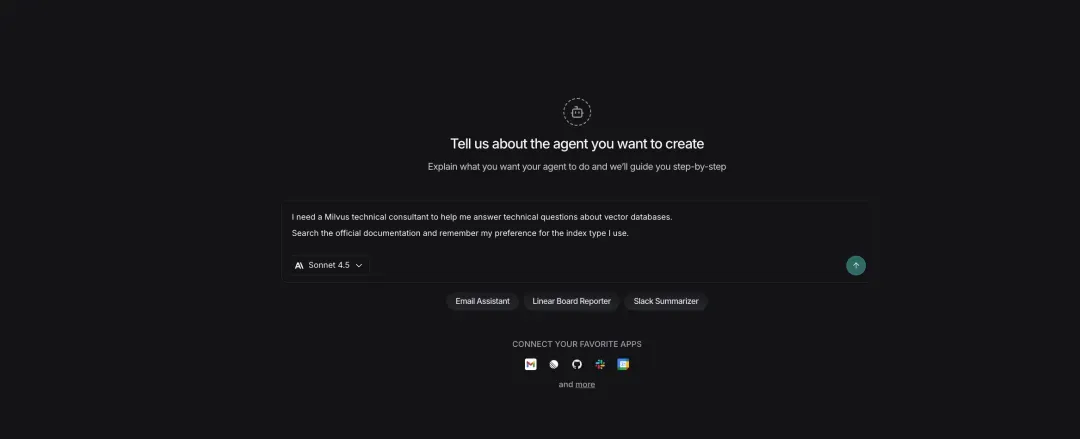
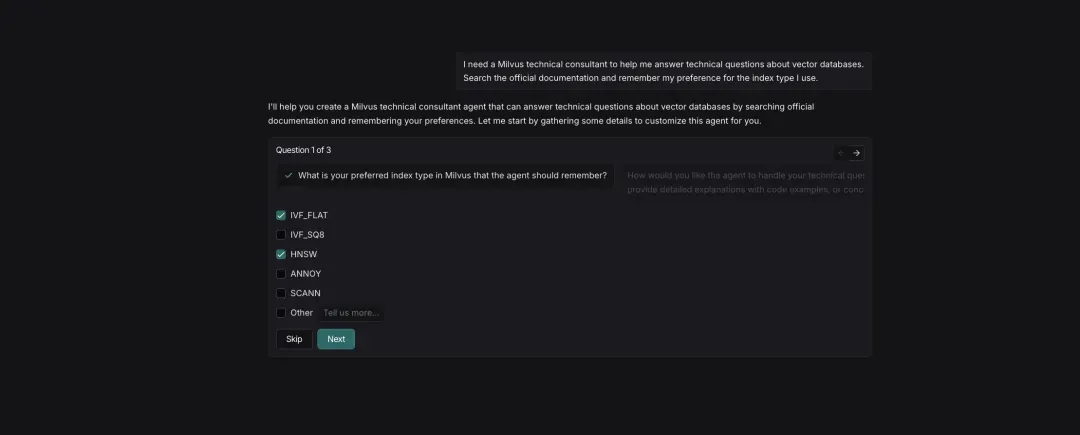
- The System Asks Follow-Up Questions to Refine Requirements
Question 1: Select the Milvus index types you want the agent to remember
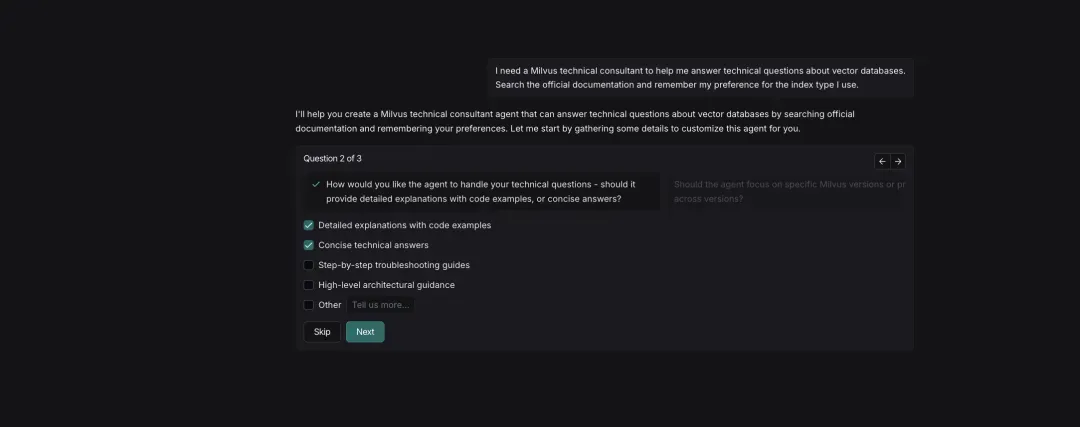
Question 2: Choose how the agent should handle technical questions
Question 3: Specify whether the agent should focus on guidance for a specific Milvus version
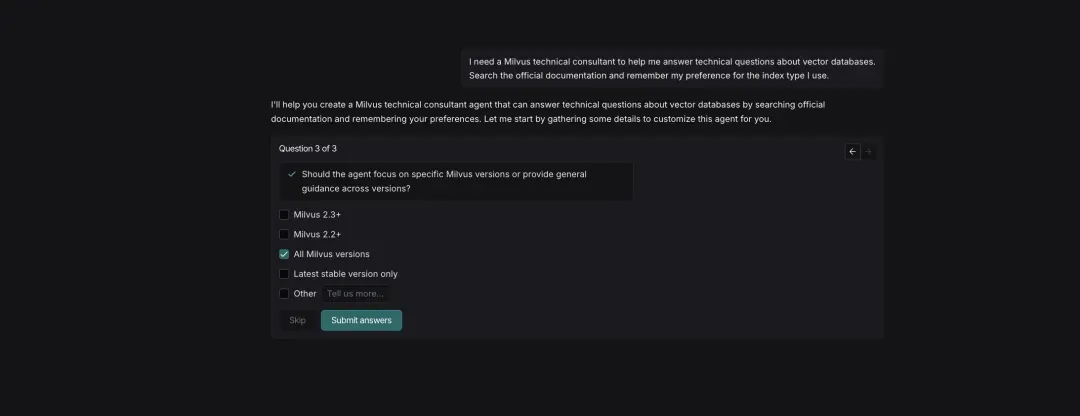
Step 5. Review and Confirm the Generated Agent
Note: The system automatically generates the agent configuration.
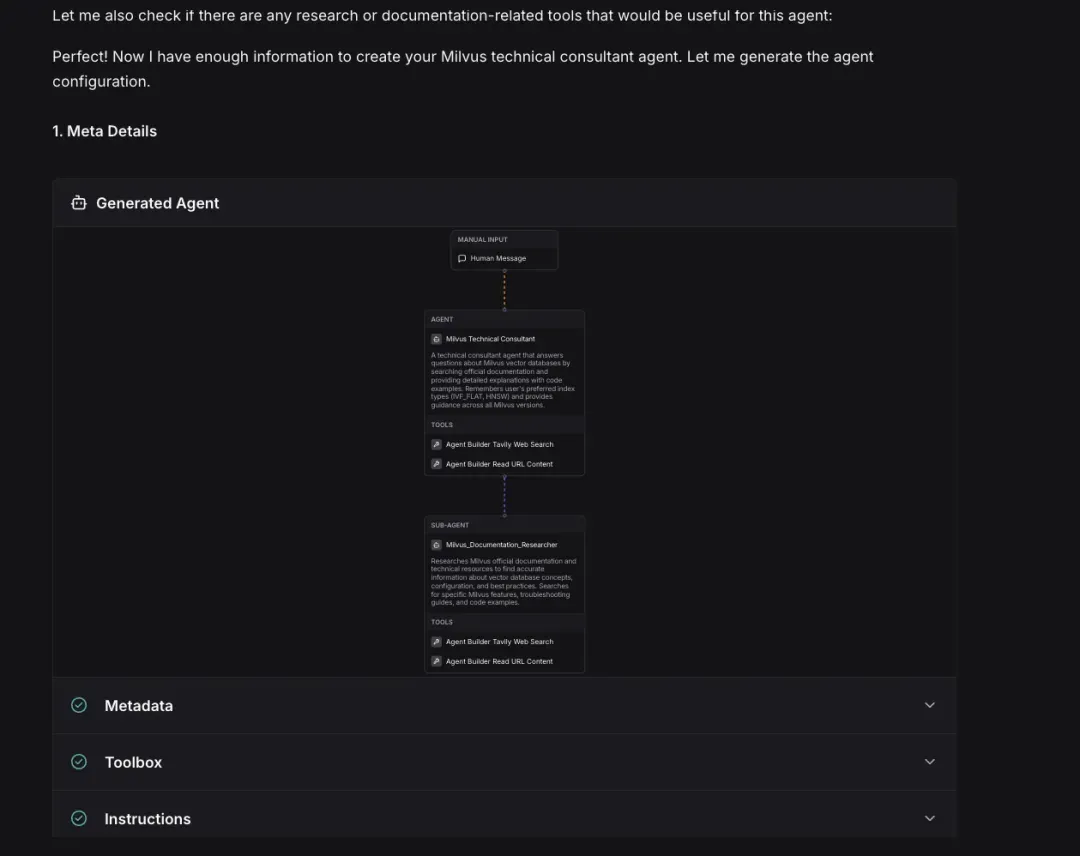
Before creating the agent, you can review its metadata, tools, and prompts. Once everything looks correct, click Create to proceed.


Step 6. Explore the Interface and Feature Areas
After the agent is created, you’ll see three functional areas in the lower-left corner of the interface:
(1) Triggers
Triggers define when the agent should run, either in response to external events or on a schedule:
- Slack: Activate the agent when a message arrives in a specific channel
- Gmail: Trigger the agent when a new email is received
- Cron: Run the agent on a scheduled interval
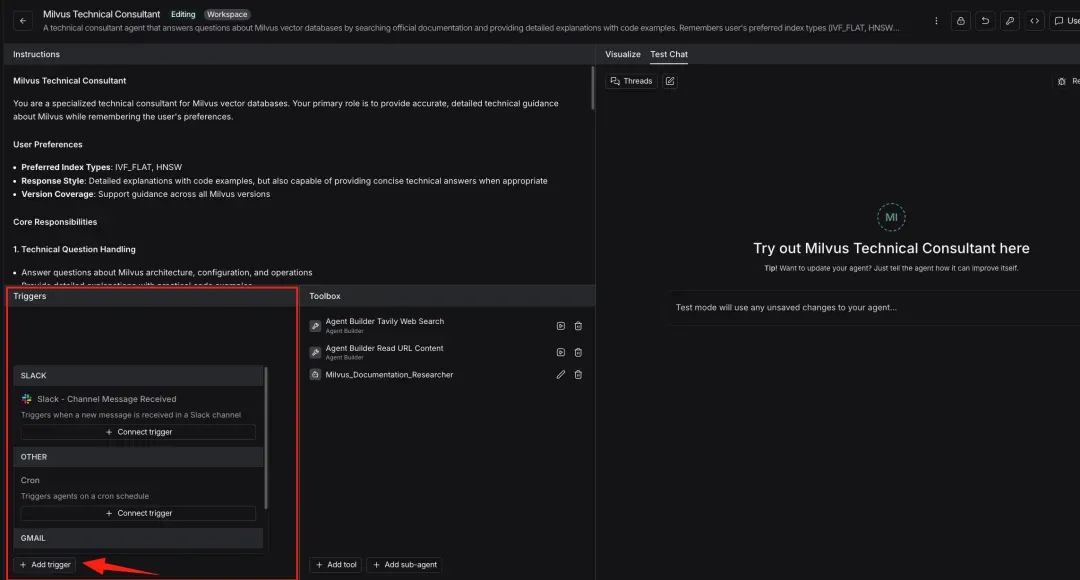
(2) Toolbox
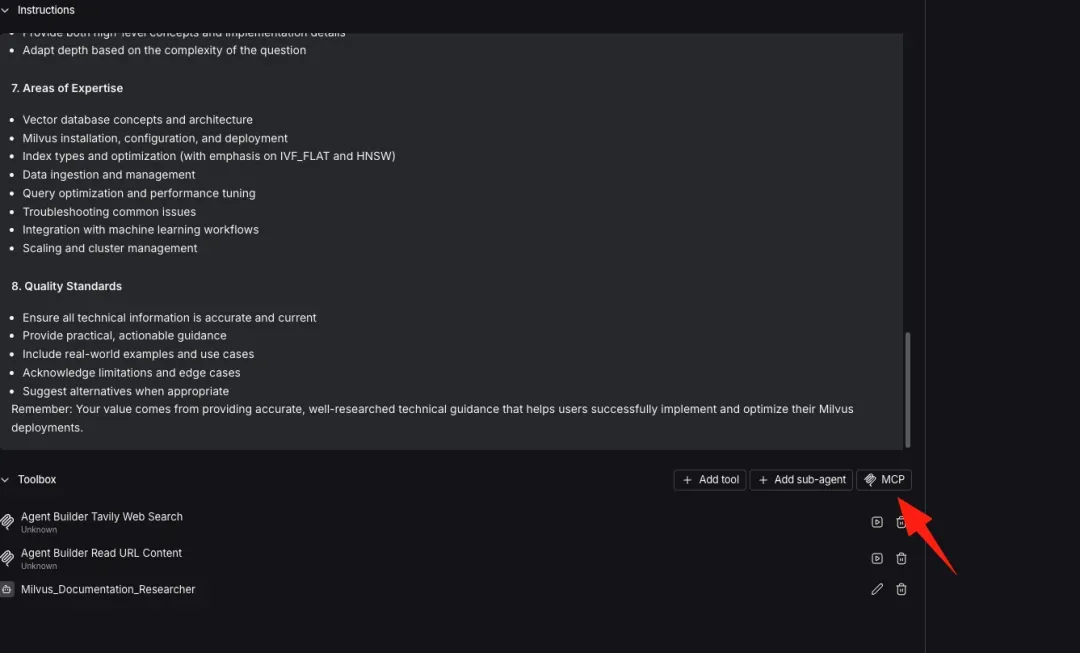
This is the set of tools the agent can call. In the example shown, the three tools are generated automatically during creation, and you can add more by clicking Add tool.
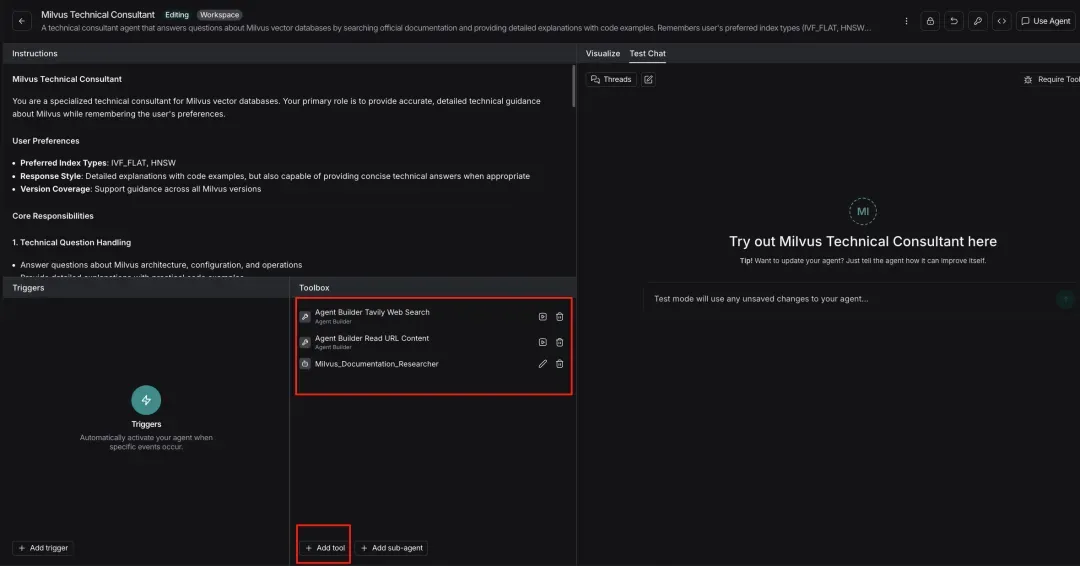
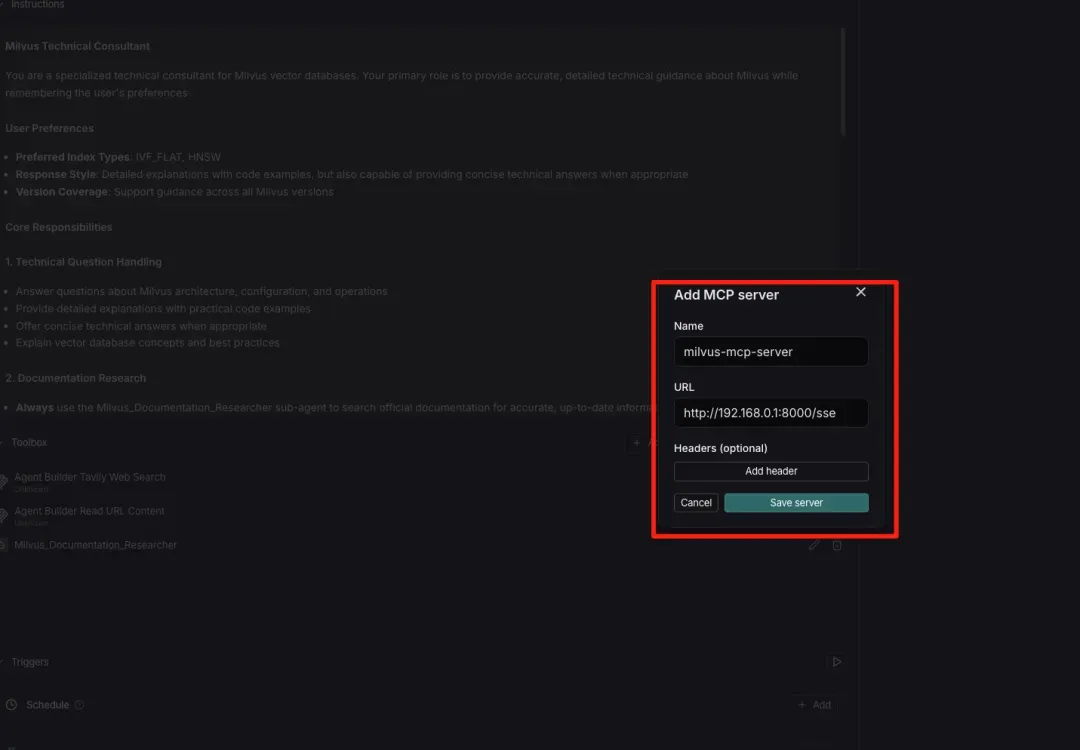
If your agent needs vector search capabilities—such as semantic search across large volumes of technical documentation—you can deploy Milvus’s MCP Server and add it here using the MCP button. Make sure the MCP server is running at a reachable network endpoint; otherwise, Agent Builder won’t be able to invoke it.
(3) Sub-agents
Create independent agent modules dedicated to specific subtasks, enabling a modular system design.
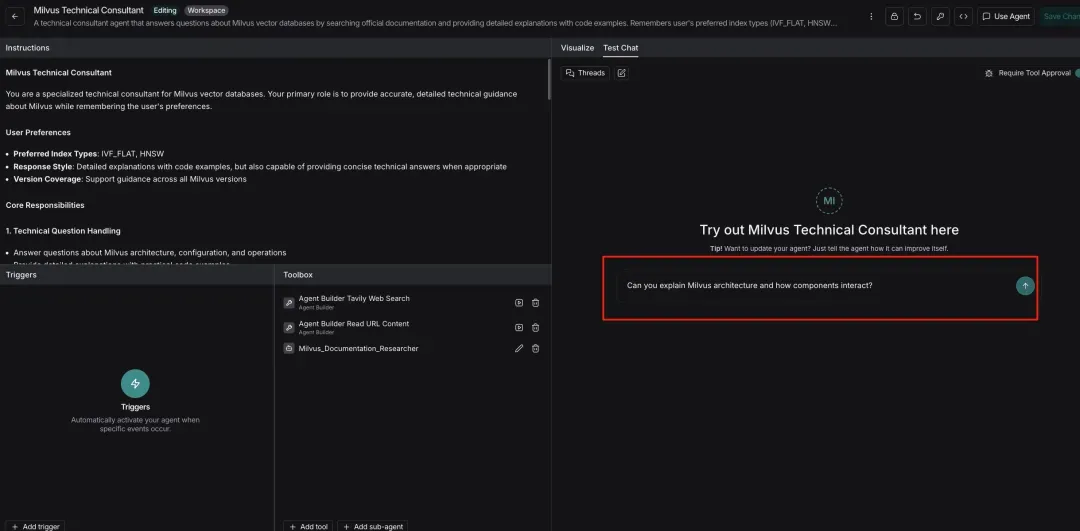
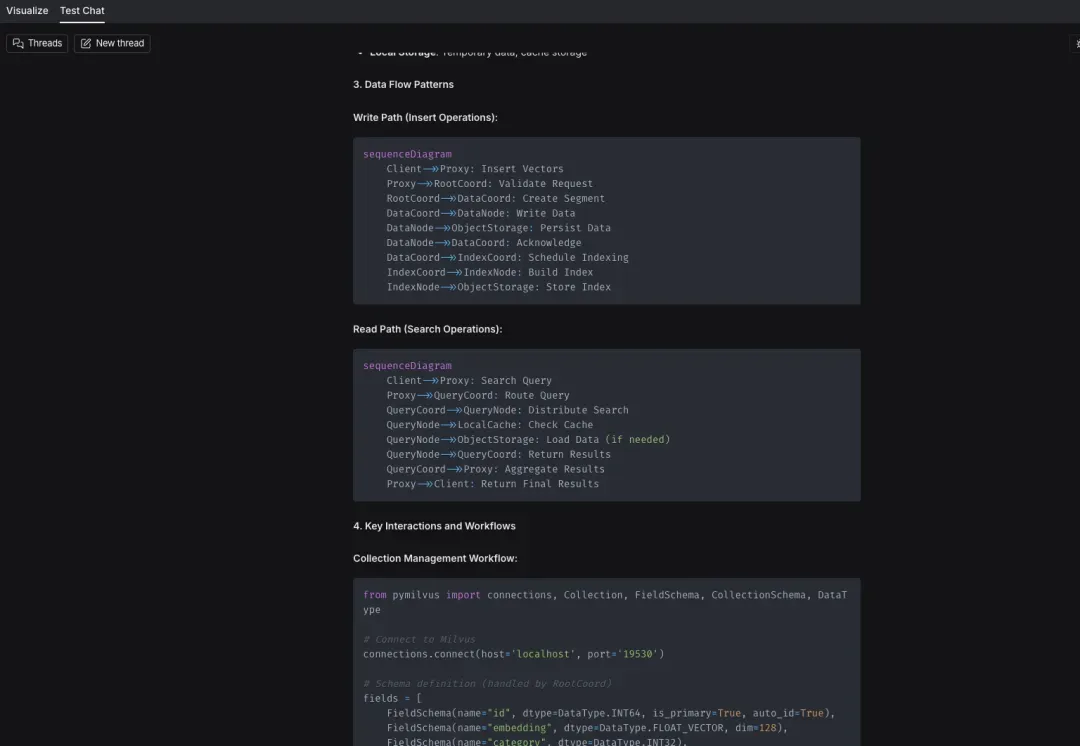
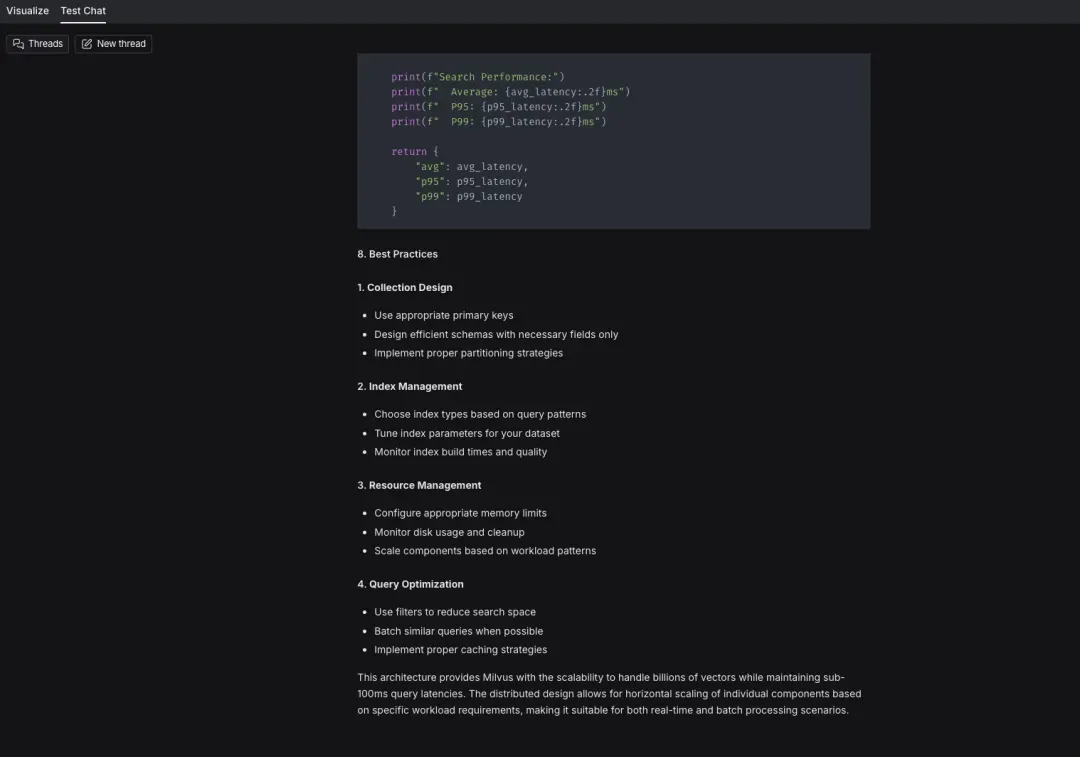
Step 7. Test the Agent
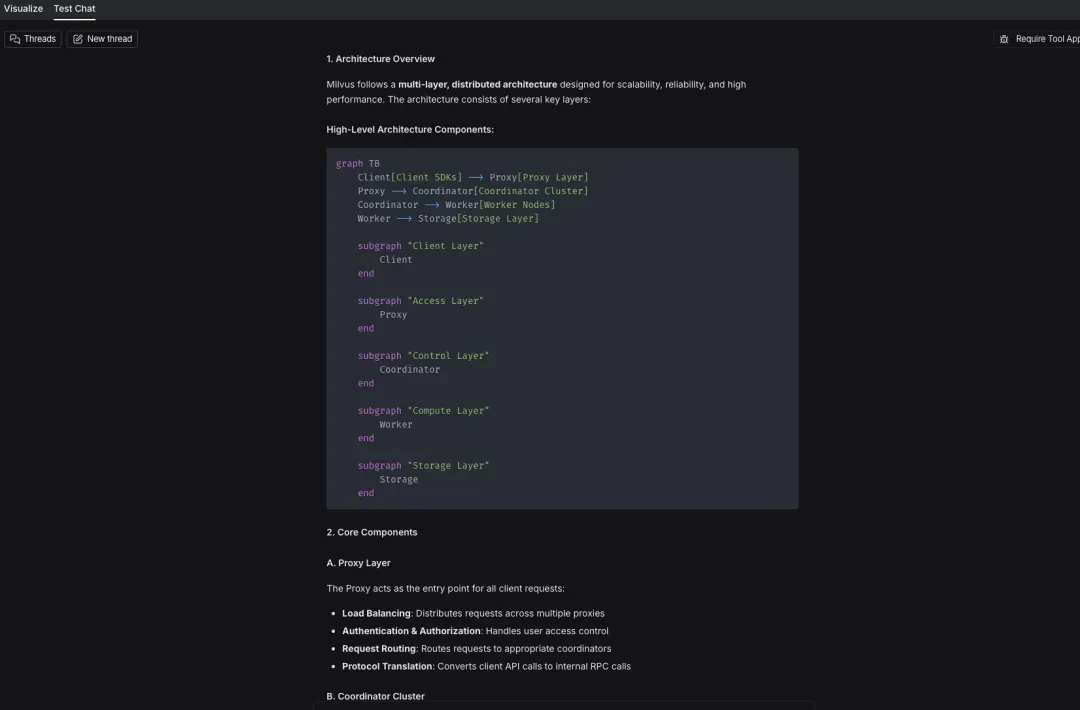
Click Test in the top-right corner to enter testing mode. Below is a sample of the test results.
Agent Builder vs. DeepAgents: Which One Should You Choose?
LangChain offers multiple agent frameworks, and the right choice depends on how much control you need. DeepAgents is agent building tool. It is used to build autonomous, long-running AI agents that handle complex, multi-step tasks. Built on LangGraph, it supports advanced planning, file-based context management, and subagent orchestration—making it ideal for long-horizon or production-grade projects.
So how does that compare to Agent Builder, and when should you use each?
Agent Builder focuses on simplicity and speed. It abstracts away most implementation details, letting you describe your agent in natural language, configure tools, and run it immediately. Memory, tool use, and human-in-the-loop workflows are handled for you. This makes Agent Builder perfect for rapid prototyping, internal tools, and early-stage validation where ease of use matters more than granular control.
DeepAgents, by contrast, is designed for scenarios where you need full control over memory, execution, and infrastructure. You can customize middleware, integrate any Python tool, modify the storage backend (including persisting memory in Milvus), and explicitly manage the agent’s state graph. The trade-off is engineering effort—you write code, manage dependencies, and handle failure modes yourself—but you get a fully customizable agent stack.
Importantly, Agent Builder and DeepAgents are not separate ecosystems—they form a single continuum. Agent Builder is built on top of DeepAgents. That means you can start with a quick prototype in Agent Builder, then drop into DeepAgents when you need more flexibility, without rewriting everything from scratch. The reverse also works: patterns built in DeepAgents can be packaged as Agent Builder templates so non-technical users can reuse them.
Conclusion
Thanks to the development of AI, building AI agents no longer requires complex workflows or heavy engineering. With LangSmith Agent Builder, you can create stateful, long-running assistants using natural language alone. You focus on describing what the agent should do, while the system handles planning, tool execution, and ongoing memory updates.
Paired with Milvus, these agents gain reliable, persistent memory for semantic search, preference tracking, and long-term context across sessions. Whether you’re validating an idea or deploying a scalable system, LangSmith Agent Builder and Milvus provide a simple, flexible foundation for agents that don’t just respond—they remember and improve over time.
Have questions or want a deeper walkthrough? Join our Slack channel or book a 20-minute Milvus Office Hours session for personalized guidance.
- What is LangSmith Agent Builder and How It Works?
- How Does an Agent Remember Your Preferences?
- Hands-on Demo: Building a Milvus Assistant in 10 Minutes using Agent Builder
- Step 1. Sign In to the LangChain Website
- Step 2. Set Up Your Anthropic API Key
- Step 3. Create a New Agent
- Step 4. Describe Your Requirements to Create the Agent
- Step 5. Review and Confirm the Generated Agent
- Step 6. Explore the Interface and Feature Areas
- Step 7. Test the Agent
- Agent Builder vs. DeepAgents: Which One Should You Choose?
- Conclusion
On This Page
Try Managed Milvus for Free
Zilliz Cloud is hassle-free, powered by Milvus and 10x faster.
Get StartedLike the article? Spread the word