

To find a Milvus bottleneck, first decide which symptom you are chasing (slow search, slow writes, stale results, or slow loading), then follow that request through the component that owns it and read the latency breakdown at each hop. In Milvus, the proxy, Streaming Nodes, Query Nodes, and Data Nodes each own a different stage, and each exports Prometheus metrics, so you can usually tell within minutes whether time is going into queueing, filtering, vector search, result merging, or something outside the database entirely.
The most common mistake is scaling the wrong thing. Adding Query Nodes does nothing for a write backlog, and a bigger index build pool does nothing for a client that cannot send requests fast enough. The sections below map each symptom to where it usually comes from.
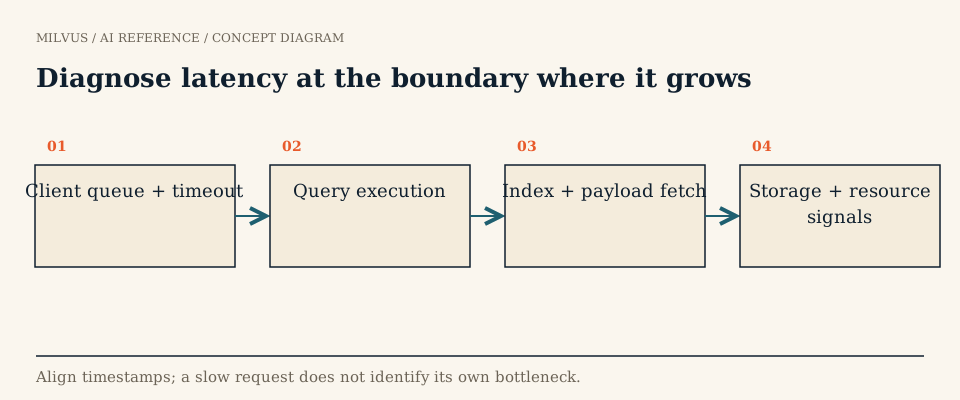 Diagnose latency at the boundary where it grows
Which component owns which symptom?
| Symptom | Owning stage | First metrics to check | Usual suspects |
|---|---|---|---|
| Search or query p99 is high | Proxy, then Query Nodes | milvus_proxy_sq_latency, milvus_proxy_sq_wait_result_latency, milvus_querynode_sq_queue_latency, milvus_querynode_sq_core_latency, milvus_querynode_sq_reduce_latency | Queueing on hot nodes, large nq or limit, low-selectivity filters, unindexed segments, mmap or cold-cache reads |
| Inserts or upserts are slow to acknowledge | Proxy, Streaming Node, WAL | milvus_proxy_mutation_latency_sum, milvus_proxy_mutation_send_latency | WAL storage latency, oversized batches, one hot shard |
| New data takes too long to appear | Streaming Node and consistency level | Search latency under Strong vs. Bounded, growing-segment counts | Strong consistency waiting on timestamps, write backlog |
| Search slows down after heavy ingestion | Data Node index builds, compaction | Segment counts by state, index and compaction task latency | Many small or unindexed segments being searched by brute force |
| Collection load is slow or runs out of memory | Coordinator scheduling, Query Node loading | milvus_querynode_load_segment_latency_bucket, per-node memory | Index footprint too large for RAM, object-storage throughput |
Metric names follow the milvus_<subsystem>_<name> pattern and are listed on the metrics dashboard page. Check the dashboard for your release, because the component set changed in Milvus 2.6 (coordinators were merged and the Streaming Node was added), so some older panels describe roles that no longer exist as separate processes. The Milvus architecture guide explains which node does what.
How do you break down a slow search?
A search request passes through four measurable stages, and the latency panels line up with them:
- Proxy wait.
milvus_proxy_sq_wait_result_latencyis the time the proxy spends waiting for shards to answer. If total proxy latency is high but this is low, the time is going into request handling, decoding, or the reduce step at the proxy (milvus_proxy_sq_reduce_result_latency,milvus_proxy_sq_decode_result_latency), often because of very largelimitvalues or many output fields. - Query Node queue.
milvus_querynode_sq_queue_latencyand the read-task queue lengths show requests waiting for a worker. Rising queue time with flat execution time means the nodes are saturated: you need more replicas or Query Nodes, or smaller requests. - Execution.
milvus_querynode_sq_core_latencyand per-segment latency cover filtering and vector search in the C++ engine. High values here point at search parameters (ef,nprobe,search_list), filter selectivity, or segments without an index. - Reduce.
milvus_querynode_sq_reduce_latencycovers merging per-segment results. It grows with segment count andlimit.
Because Milvus fans a search out to every shard and waits for the slowest one, a single hot node can drag every request down. One documented case from the Milvus blog traced a 3 to 5x latency increase after an upgrade to uneven segment sizes after a restore: some Query Nodes ran at four times the CPU of others while cluster-wide CPU looked healthy. Always look at per-pod CPU and segment counts, not cluster averages.
What usually causes slow searches in Milvus?
- Unindexed or growing data. Segments that are still growing, or too small to have been indexed yet, are searched by brute force. Continuous ingestion keeps a fraction of data in that state. The FLAT baseline page explains why brute force is fine for small data but not at scale.
- Search effort set too high. Raising HNSW
efor IVFnprobebuys recall with CPU. Tune them against a recall target rather than maximising them; see choosing a vector index. - Large
nqper request. Batching many query vectors into one call can monopolise a node and make other requests queue behind it. - Filters. Very selective or very broad filters change how much work ANN traversal does. A scalar index (for example INVERTED on a filtered VARCHAR field) can help expression evaluation; see how metadata filters interact with vector search.
- Disk or object-storage reads. With mmap, DiskANN, or tiered storage, a cold cache can turn a memory lookup into an I/O wait. Expect a warm-up period and watch for spikes after loads or node restarts.
- Payload size. Returning large text or JSON output fields can cost more than the vector search itself.
- Strong consistency. A
Strongread waits until all writes up to its timestamp are visible. Under heavy ingestion that wait shows up as search latency.
How do you diagnose write and freshness problems?
Write acknowledgment and search visibility are separate events. A write is acknowledged once the Streaming Node has durably appended it to the WAL; it becomes searchable according to the consistency level of the reading request. So if users complain that "new documents don’t show up", check whether the search uses Bounded or Eventually before blaming ingestion. If acknowledgments themselves are slow, look at WAL storage latency and whether one shard receives most of the traffic. Data Node index and compaction backlogs rarely slow writes, but they do slow later searches, as described above. The eventual consistency page covers the trade-off.
How do you run a controlled investigation?
- Write down the workload. Request rate, concurrency,
nq,limit, filter, output fields, index type and parameters, consistency level, data size, and whether the cache is warm. - Check the client first. If the load generator or application is CPU-bound, server throughput will look flat even with spare capacity. Compare client-side and proxy-side latency over the same window.
- Read one time window across all components. Correlate latency percentiles and errors with queue lengths, per-pod CPU and memory, and segment counts. A resource peak from a different hour is weak evidence.
- Form one hypothesis and change one thing. For example, lower
efwhile holding recall above target, add a replica, or move a large payload field out ofoutput_fields. Measure again. - Repeat under realistic conditions. Test with concurrent ingestion, during an index build, and right after a load, because the steady-state number rarely matches production.
Record what changed and what the metrics did. A short written finding (“queue latency on QN-3 doubled because it held 40% of segments; rebalancing fixed it”) is far more reusable than a habit of scaling every component whenever the app feels slow. For workload-level testing, the benchmarking guide covers methodology.
Related reading
- How does the Milvus architecture separate ingestion, storage, and search?
- How should you benchmark vector search performance?
- How do you estimate memory for vector search?
- How should you separate hot vector serving from cold lake data?
To set up the metrics used above, follow the Milvus monitoring overview to deploy Prometheus and Grafana, then import the Milvus dashboard. If you would rather have capacity and tuning handled for you, Zilliz Cloud runs Milvus as a managed service.



