

Compare vector-database costs as total cost of ownership at the same workload and the same service level: the same vectors, recall target, p99 latency, availability, and growth. Self-hosting usually has the lowest infrastructure bill per vector at scale, but you pay in engineering time for upgrades, monitoring, backups, scaling, and incidents. A managed service folds that work into the price, and BYOC splits the difference by running the managed service inside your own cloud account. Which is cheaper depends far more on scale, traffic shape, and team capacity than on list prices.
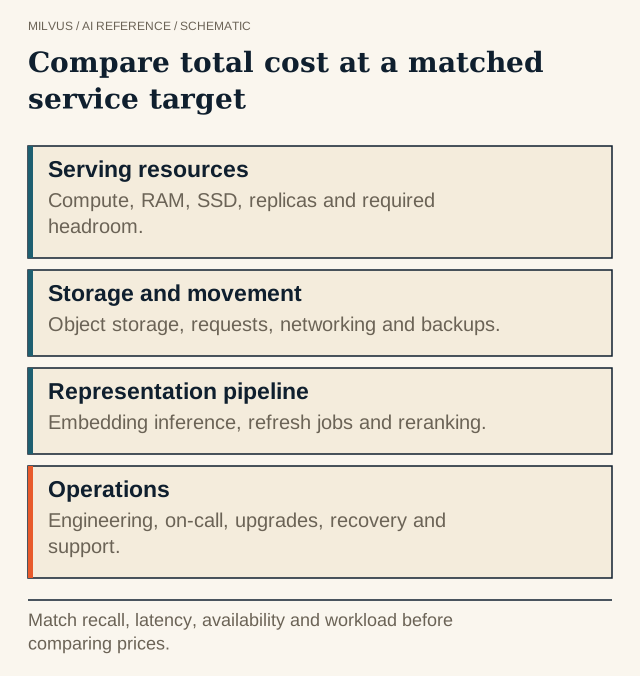 Compare total cost at a matched service target. Match recall, latency, availability and workload before comparing prices.
What goes into the total cost?
| Cost line | Local / embedded (e.g. Milvus Lite) | Self-hosted Milvus | Managed Milvus (Zilliz Cloud) | BYOC |
|---|---|---|---|---|
| Compute and memory | Your laptop or app server | VMs or Kubernetes nodes you size | Included in compute units (CUs) | Your cloud bill plus a Zilliz license sized to capacity |
| Object and disk storage | Local disk | Object storage plus local SSD | Storage billed per GB-month | Your cloud bill |
| Backups | Manual | Milvus Backup plus bucket storage | Built-in; backup storage billed | Provider-managed, in your account |
| Network transfer | None | Your cloud’s egress and cross-zone rates | Billed for egress and cross-region; private endpoints not charged per the pricing guide | Your cloud bill |
| Upgrades, patching, on-call | You | You | Provider | Provider |
| High availability | None | Replicas and spare nodes you run | Plan-dependent SLA | Provider SLA |
Two lines are always outside the database bill: generating embeddings and reranking. They are charged by whatever model service or GPU fleet you use, they scale with every re-embedding run, and they belong in the same worksheet.
How do latency and variance differ between local and cloud stores?
An in-process or same-host store answers without a network hop, so latency is low and stable until the data outgrows memory. A remote cloud service adds a network round trip on every query and is subject to variance from the network path. In practice:
- Keep the client and database in the same region, ideally the same cloud and network. A cross-region hop can cost more latency than the search itself, and cross-region transfer is billed.
- Use private networking. Private endpoints or VPC peering cut both latency variance and egress charges on most managed services.
- Measure p99, not the mean. Network jitter shows up in the tail. Compare local and remote setups with the same latency and throughput methodology.
- Watch payload size. Returning full documents with every hit moves far more bytes than IDs and scores.
A local in-memory store is the right answer for prototypes, notebooks, and small single-node apps. Milvus Lite runs in-process from pip install pymilvus and suits up to a few million vectors, and the same client code later points at a server or Zilliz Cloud.
How do you build a fair comparison?
1. Write down the workload. Vector count today and in 12 months, dimension and type, metadata size per row, insert and delete rate, peak QPS, top-k, filter selectivity, required recall, p99 target, availability target, and data-residency rules.
2. Size each option for that workload. For self-hosted Milvus, the sizing tool turns vector count, dimension, index type, and deployment mode into memory, CPU, and disk, then add replicas and failover headroom. For Zilliz Cloud, choose a cluster type and CU count; the pricing page lists published per-CU capacity for each type and has a calculator. The capacity planning guide walks through both.
3. Price operations explicitly. Estimate the hours per month your team will spend on upgrades, monitoring, scaling events, backup drills, and incidents, and multiply by a loaded hourly rate. Add on-call coverage if the service has an availability commitment.
4. Price the traffic shape, not just the peak. Always-on clusters cost the same at 3 a.m. as at noon. Spiky or occasional workloads favor autoscaling and serverless options; steady high throughput favors reserved capacity.
5. Run a short trial on both, with the same data and queries, and compare measured resource use with the estimate.
An illustrative worksheet structure, with placeholders rather than real prices:
monthly_cost = serving_compute        # nodes or CUs × hours × rate
             + storage                # GB-months (data + backups)
             + network                # egress + cross-region GB × rate
             + embedding_and_rerank   # model API or GPU cost
             + ops_hours × loaded_rate
             + spare_capacity         # replicas, failover headroom
Fill it in for each option using current list prices and your own salary costs. A self-hosted option that needs 20 operator hours a month is not cheaper than a managed one if those 20 hours cost more than the price difference.
How do Zilliz Cloud’s billing options map to workloads?
Zilliz Cloud bills by a few dimensions that are worth matching to the workload:
- Serverless for development and spiky, low-volume traffic, with a free tier to start.
- Dedicated clusters, billed in compute units, in three cluster types: performance-optimized for low-latency, high-QPS search; capacity-optimized for larger datasets at moderate QPS; and tiered-storage for very large, cost-sensitive corpora where some queries can tolerate higher latency.
- On-demand compute, billed only for the active runtime of query and index-build jobs, for occasional analytical search over large data without an always-on cluster.
- Storage, backup, and data transfer, each billed separately.
Exact rates vary by cloud, region, and plan, so take them from the pricing page and its list price guide rather than from articles. Real examples help calibrate: Consensus reports moving to 4× larger vectors with only 2.5× the cluster size on Zilliz Cloud, while a global GPU maker’s self-hosted Milvus deployment cut infrastructure cost by 30% through layout optimizations. Both paths can be cost-effective; the question is who does the tuning.
When does each option win?
- Local / Milvus Lite: prototypes, tests, edge or single-user apps.
- Self-hosted Milvus: large, steady workloads with a platform team already running Kubernetes, or strict on-premises requirements.
- Managed Zilliz Cloud: teams that want production SLAs without a dedicated database team, spiky traffic, or fast time to production.
- BYOC: managed operations with data that must stay in your own cloud account, or existing cloud commitments you want to use. See managed vs. BYOC vs. self-hosted.
Related reading
- How do you turn a Milvus workload into a capacity and cost estimate?
- How do you estimate memory for vector search?
- How should you separate hot vector serving from cold lake data?
- How should you benchmark vector search performance?
- What determines vector-database scalability?
The fastest way to get real numbers is to run your workload on both. Start a free Zilliz Cloud cluster and, in parallel, a self-hosted Milvus Standalone with Docker, then compare measured usage against the pricing calculator.


