

MMEB (the Massive Multimodal Embedding Benchmark) evaluates embedding models that take images, video, visual documents, and, in its newest version, audio and agent-oriented inputs, rather than text alone. Every task is framed as ranking: given an instruction and a query, the model must place the correct target first among many candidates. MMEB has three major versions with very different task sets, so the version label matters before any score does.
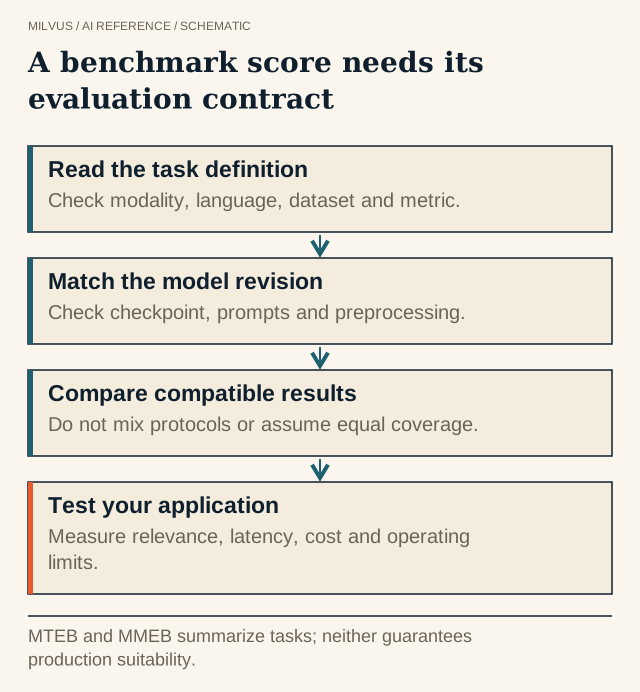 A benchmark score needs its evaluation contract. MTEB and MMEB summarize tasks; neither guarantees production suitability.
Why multimodal embeddings need their own benchmark
Text benchmarks such as MTEB cannot tell you whether a model can find the right chart for a question, the right clip for a description, or the right product photo for another photo. Multimodal models also fail in ways text models do not: they may return a result in the wrong modality, handle text-to-image well but image-to-text poorly, or ignore an instruction that asks for a specific kind of target. MMEB was built to expose those differences with one consistent protocol.
The benchmark was introduced with VLM2Vec, a training recipe that turns a vision-language model into an embedding model, and both are maintained in the same open repository. VLM2Vec is a model family; MMEB is the benchmark. They are easy to confuse because results tables often list them side by side.
How do the MMEB versions differ?
| Version | Scope | What it adds |
|---|---|---|
| MMEB (V1) | 36 image-and-text datasets | Four meta-tasks: classification, visual question answering, retrieval, and visual grounding, with 20 in-distribution datasets for training and 16 out-of-distribution datasets for evaluation |
| MMEB-V2 | 78 tasks | Video retrieval, moment retrieval, video classification, and video QA, plus visual-document retrieval drawn from page-retrieval collections |
| MMEB-V3 | 190 tasks | Text retrieval (instruction-following, reasoning, long-context), audio classification and retrieval, and agent-centric tasks such as tool retrieval, GUI control, and agent memory retrieval, plus a diagnostic set of semantically equivalent items across modalities |
A model evaluated under one version is not directly comparable with a model evaluated under another. The tasks, candidate pools, and metrics change, and dataset revisions can shift results even within a version. When you see a single "MMEB score", find out which version and which subset it covers.
How is a model scored?
Each example pairs a task instruction with a query, which can be text, an image, a video, a page, or a combination. The model embeds the query (with its instruction) and every candidate, and the candidates are ranked by similarity. In MMEB-V2, image and video tasks are scored with Hit@1, the share of queries whose correct target ranks first, while visual-document tasks use nDCG@5, which rewards placing relevant pages near the top of a short list.
Two consequences follow. First, scores reward instruction following: the same image can be a correct answer for one instruction and a wrong one for another. If your application will not send instructions, test the model without them too. Second, Hit@1 is strict. A model that usually places the right answer second scores poorly on Hit@1 but may be perfectly good for a pipeline that retrieves 50 candidates and then reranks them.
What MMEB-V3 revealed about current models
The MMEB-V3 authors reported three recurring weaknesses in omni-modal embedding models: they frequently return content in a modality other than the one requested; cross-modal retrieval is strongly asymmetric depending on which modality the query uses; and instructions intended to steer the target modality are often weak or ignored. For builders, this means a model’s average across categories can hide a direction you depend on. If your product is "spoken question to video clip", the text-to-image column is not evidence.
How should you read the leaderboard?
Rankings move quickly as new checkpoints are submitted, so this page does not freeze a table of scores. Check the official MMEB leaderboard for current results and use it this way:
- Pick the version and category first. Visual-document retrieval, image retrieval, video retrieval, moment retrieval, and audio tasks are separate columns for a reason. Sort by the one that matches your workload.
- Check coverage. Confirm the model was actually evaluated on your modality. Some submissions skip categories the model does not support; a missing value is not a zero, but it is not a pass either.
- Compare like with like. Look at parameter count, output dimension, and whether the model produces one vector or many. Multi-vector (late-interaction) document models trade storage for accuracy and need a different index design.
- Read the model card and license. Note the required processor, prompt format, frame sampling for video, and image resolution. Several strong research checkpoints carry non-commercial terms.
Turn the benchmark into a local evaluation
Choose the retrieval object before the model: is it an image, a page, a frame, a clip, or an audio segment? Then build a small test set from your own data that mirrors the direction you will ship, such as text-to-page or image-to-product. Include visually similar but semantically different items, which is where multimodal models most often fail.
Keep everything that affects the vectors fixed and recorded: model revision, processor settings, resolution, frame sampling rate, prompts, and source IDs. Measure relevant-item recall, encoding time per item, vector storage, and query latency. These are the numbers that decide the choice; the leaderboard only narrows the field.
Storing multimodal evaluation runs in Milvus
Single-vector multimodal models fit a standard dense vector field: create one collection per candidate, store the object URI, page number or timestamp, and modality as scalar fields, and filter on them at query time. Multi-vector page encoders such as ColPali-style models need an embedding-list design instead, which Milvus supports through StructArray vector subfields and MAX_SIM scoring; see how page encoders use Milvus embedding lists.
For generating vectors, Milvus does not run vision models itself. Encode with the model’s own processor, then insert the vectors; the embedding overview and the embedding Function overview explain the client-side and server-side options for text.
Related reading
- What are multimodal embeddings?
- Which multimodal embedding families fit image, video, and audio retrieval?
- How do ColPali, ColQwen, and other page encoders use Milvus embedding lists?
- How do you read MTEB and compare the current embedding shortlist?
For a complete image-and-text pipeline, the multimodal RAG tutorial and the Milvus Bootcamp are good next steps.



