

Upgrading Milvus safely comes down to four things: confirm that the documented upgrade path covers your exact source version and deployment method, take a backup of both metadata and object storage, rehearse the upgrade on a staging copy with real data and indexes, and decide go/no-go against acceptance criteria you wrote down before you started. The step people most often skip is rollback planning. Once a newer Milvus has written data, swapping the image back is generally not a supported way to go back, so your real rollback is a restore.
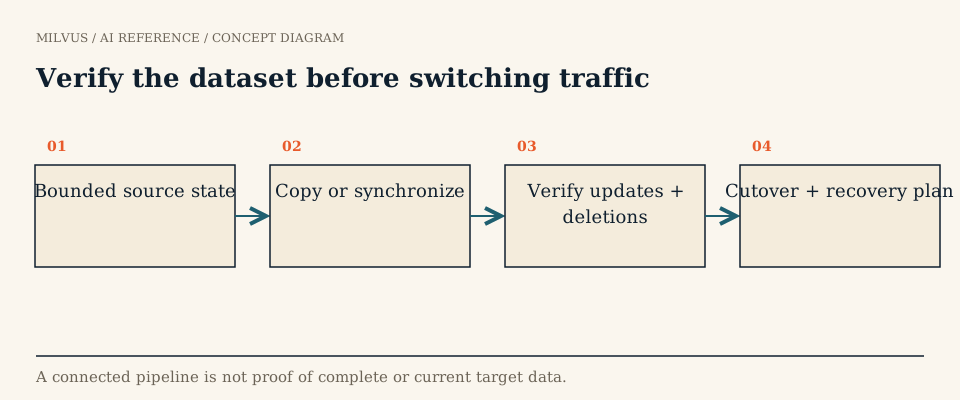 Verify the dataset before switching traffic
Should you upgrade at all?
Start with the reason. Typical ones are a defect fix you are hitting, a feature you need, a security patch, or staying on a supported line. Write that reason down, because it determines what “done” means. If you are upgrading for a feature, the test plan must prove the feature works on your data. If you are upgrading for a fix, it must reproduce the bug before and show it gone after.
Then read the release notes for every version between where you are and where you are going. At the time of writing, the current line is Milvus 3.0 (v3.0.3, released October 2026), and its notes call out changes that can affect a running system, for example the removal of legacy REST v1 routes from the metrics port, a Pulsar producer access mode that now requires Pulsar 2.8.0 or later, and a new cluster-level ImportBinlog privilege for binlog imports. Changes like these break integrations without touching your vectors, so map each one to the clients, connectors, and tools you run.
What upgrade path does Milvus support?
Upgrade guides are written per version and per deployment method, and they state the source versions they were validated from. The current guides cover moving a 2.6.x deployment to v3.0.3 with:
| Deployment | How the upgrade is applied | Notable requirements |
|---|---|---|
| Docker Compose (Standalone) | Change only the Milvus image tag, then docker compose pull standalone and docker compose up -d standalone | Keep etcd, MinIO, and data directories unchanged |
| Helm (Distributed) | helm upgrade with --set image.all.tag=v3.0.3, keeping the chart version you already have and reusing values | Helm 3.14+; topology must already use MixCoord and Streaming Node with no running IndexNode |
| Milvus Operator | Update spec.components.image in the Milvus custom resource and kubectl apply the full manifest | Keep message queue, topology, and storage settings unchanged |
Two constraints apply across the board. You cannot switch message queues (for example, Pulsar to Woodpecker) during the upgrade, and the procedure assumes the topology described above. If you are on an older line, upgrade to the version the guide expects first, using the guide for that hop, rather than jumping several majors at once.
How do you prepare a staging rehearsal?
A rehearsal is only useful if it looks like production in the ways that matter.
- Clone the shape, not just the data. Use the same field types (dense, sparse, JSON, arrays), the same index types and parameters, partition keys, dynamic fields, and any unusual features you rely on. A fresh collection with one float vector field will not find the problems that old segments and old index versions surface.
- Capture a baseline before upgrading. Record result IDs for a fixed query set, filtered-query results, recall against a FLAT baseline, p50/p99 latency at realistic concurrency, ingest rate, and delete/upsert visibility.
- Inventory dependencies. List SDK versions (PyMilvus, Java, Go, Node), framework adapters, Attu, backup tooling, CDC, and anything calling REST. Check each against the target version.
- Back up and prove the restore. Back up metadata and persistent data, then restore that backup into a scratch environment and query it. A backup you have never restored is a hope, not a plan. The backup and recovery guide covers the options.
- Time it. Note how long the upgrade, the restart, and collection reloads take. That number is your maintenance window.
How do you run the production upgrade?
Follow the guide for your deployment method exactly, with the saved Compose file, Helm values, or custom resource in hand. During and after the change:
- Watch pod or container status until every component runs the new image, and confirm no unexpected component (such as a stray IndexNode on 3.0) is running.
- Check that existing collections load and are queryable before enabling any new feature.
- Re-run the baseline query set and compare result IDs, filter behavior, recall, and latency.
- Watch Milvus metrics for error rates, query latency, and load progress through an agreed observation period.
Hold new features until the upgraded system is stable. The 3.0 release notes say format-changing features such as Storage V3 (off by default) end the possibility of rolling back to 2.6, and new index algorithm versions are opt-in. Turning these on is a separate change with its own test plan.
What is your rollback plan?
Plan on restoring, not downgrading. The upgrade guides state that once v3.0.3 has written data, an image-only rollback to 2.6.x is not validated and can fail to read the updated state; recovery means restoring the pre-upgrade metadata and persistent data backups. That has two consequences. First, any writes made after the upgrade are lost on rollback unless you can replay them, so keep the ingestion source able to re-send. Second, rehearse the restore in staging with the same timing pressure you would face in production.
For zero-downtime requirements, a blue-green approach is often cleaner than an in-place upgrade: stand up the new version alongside the old, replicate or replay data into it, compare results, and switch traffic. Milvus CDC and migration tools support this pattern.
A worked example
Suppose a team on Milvus 2.6.x with Helm wants a fix in 3.0. They restore last night’s backup into a staging namespace, record 200 query IDs plus p99 latency at 50 concurrent clients, and run helm upgrade with the same chart version and image.all.tag=v3.0.3. Staging comes up in 12 minutes, results match except for ties at equal distance, and p99 is flat. They also find a dashboard script still calling REST v1, fix it, and schedule production with a two-hour window and a tested restore. The surprise was in a client, not the database, which is why the rehearsal covers the whole stack.
Next steps
Keep application docs tied to the version you actually run, so engineers do not follow instructions for features you have not enabled. To understand which component each upgrade touches, read how the Milvus architecture separates ingestion, storage, and search. If version management is work you would rather hand off, Zilliz Cloud runs Milvus upgrades for you, and the managed vs BYOC vs self-hosted comparison helps you decide.



